Setting up your Workshop Resources
Warning
Your account must have the ability to have Administrative Access
Deploying the CloudFormation Templates
To set up the required resources for this workshop, you will need to deploy two CloudFormation templates:
Prerequisites
Before deploying the templates, ensure the following:
- AWS account: Must have an AWS Account Click Here to Register for an Account
- Administrator Access: Verify that you have administrative permissions in your AWS account.
- AWS Management Console: Log in to the AWS Management Console.
Deploying the Templates
Step 1: Deploy the vscode-server.yaml
-
Repeat the same steps as above, but upload the
vscode-server.yamlfile. -
Enter a Stack Name(e.g.,
vscode-server-stack) and do not modify any Parameters. -
Proceed with the deployment.
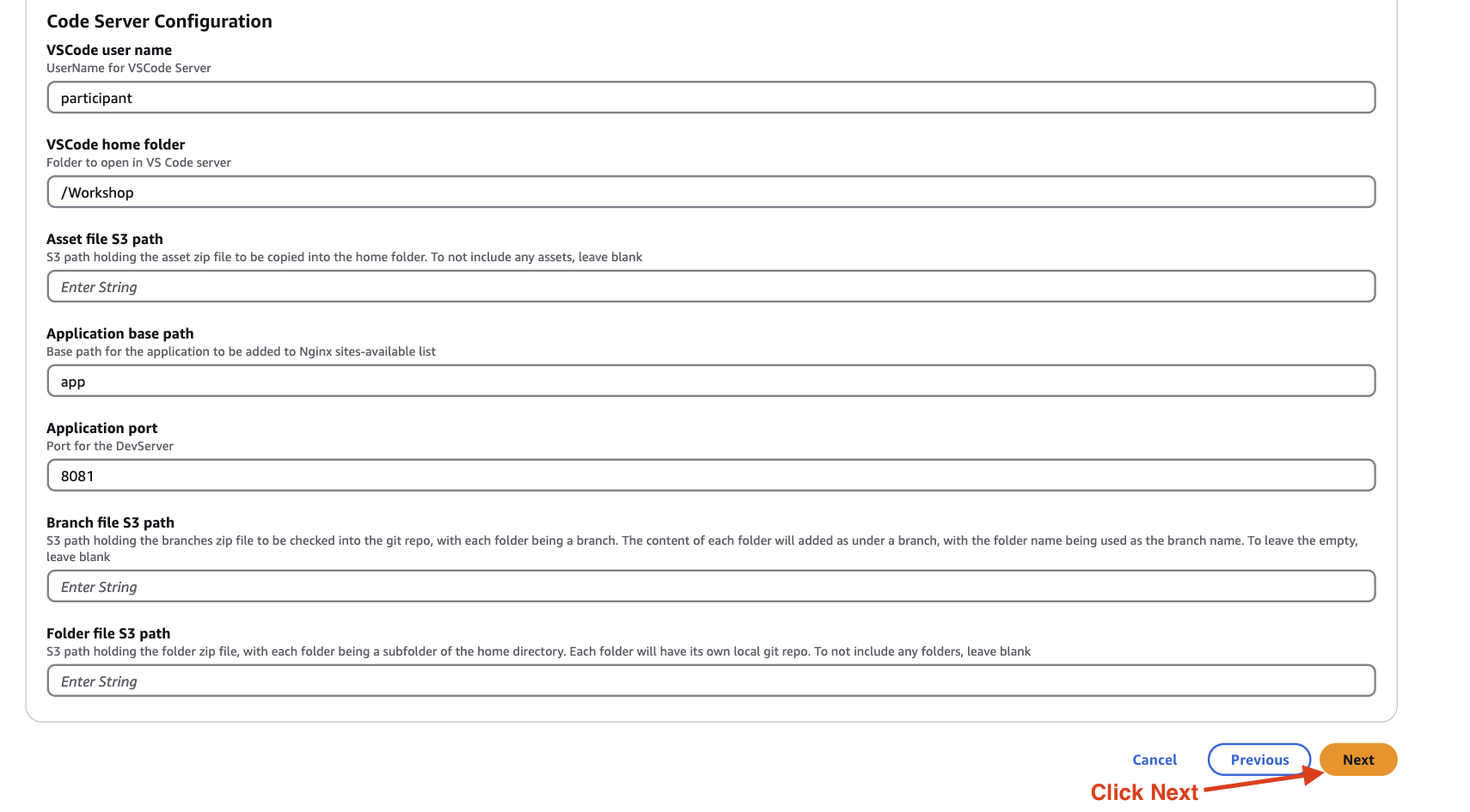
After the stack status changes to CREATE_COMPLETE, the VS Code server resources will be ready.
Step 2: Deploy the eks-cluster.yaml
-
Navigate to the CloudFormation service in the AWS Management Console.
-
Click Create stack and select Upload a template file.
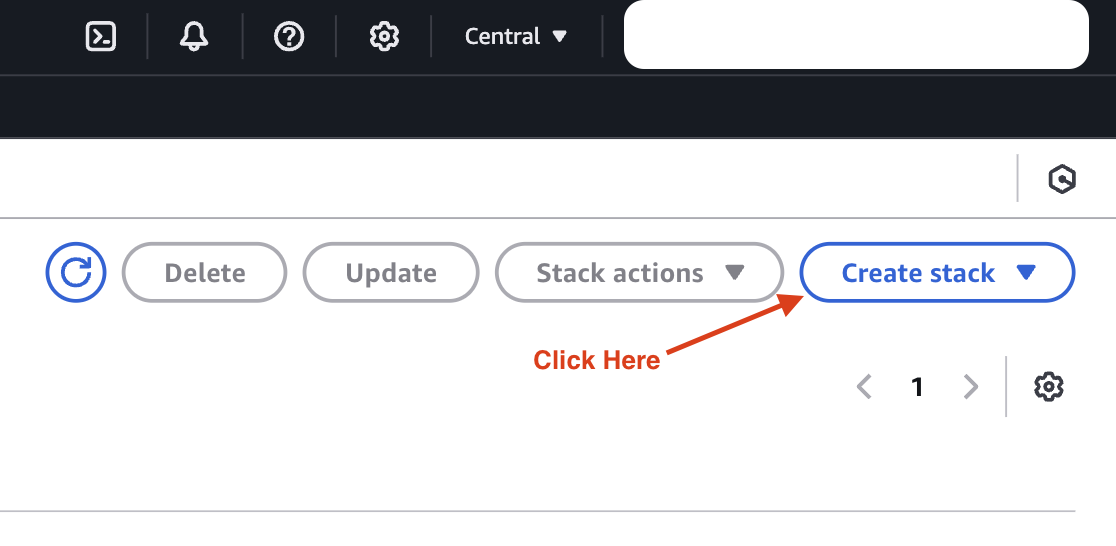
-
Click Choose file, select the
eks-cluster.yaml, and click Next.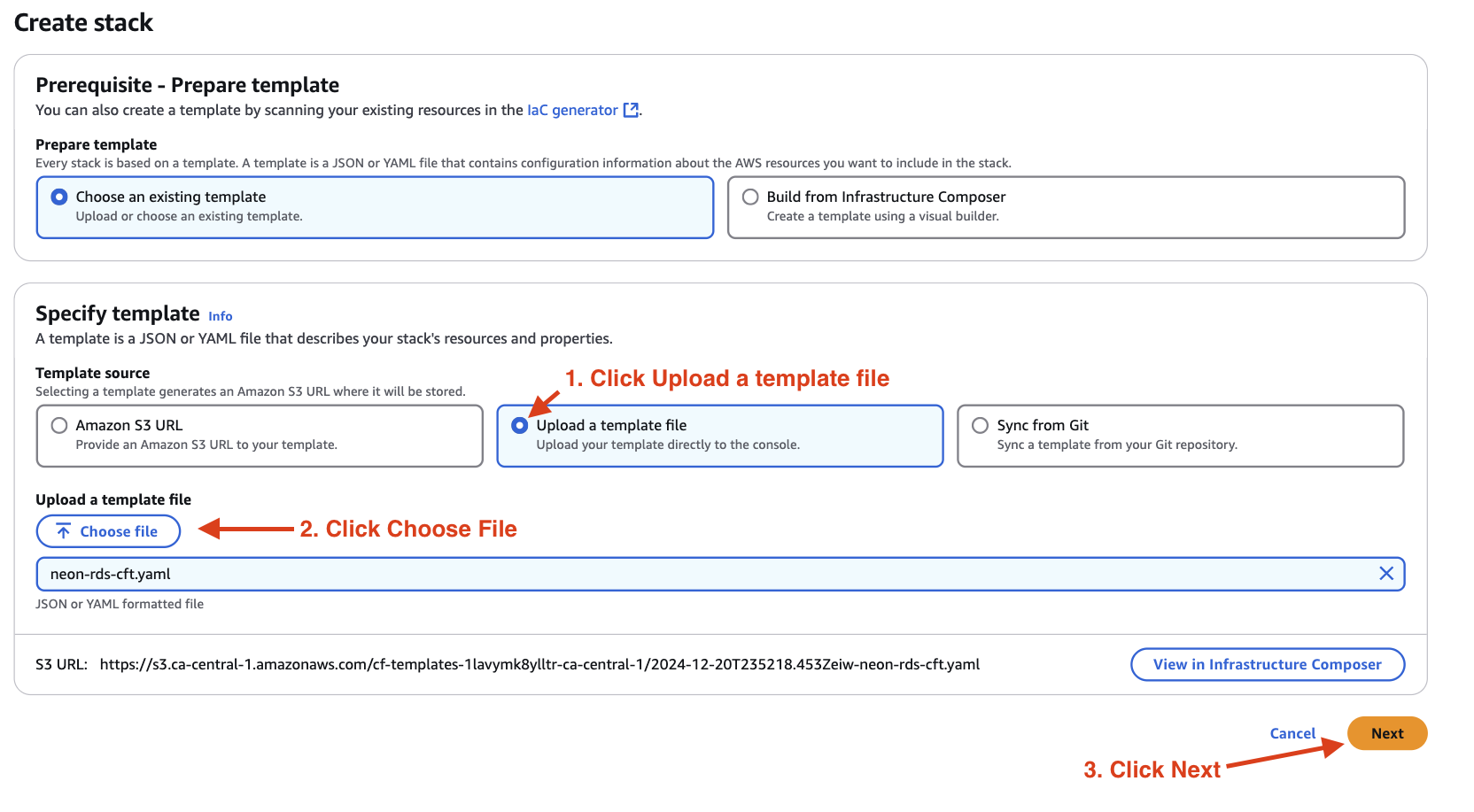
-
Enter a Stack Name (e.g.,
eks-cluster). -
Review and modify the parameters as needed. Leave default values unless instructed otherwise.

-
Click Next, then review the stack details.
-
Acknowledge the IAM role creation if prompted by checking the appropriate box.
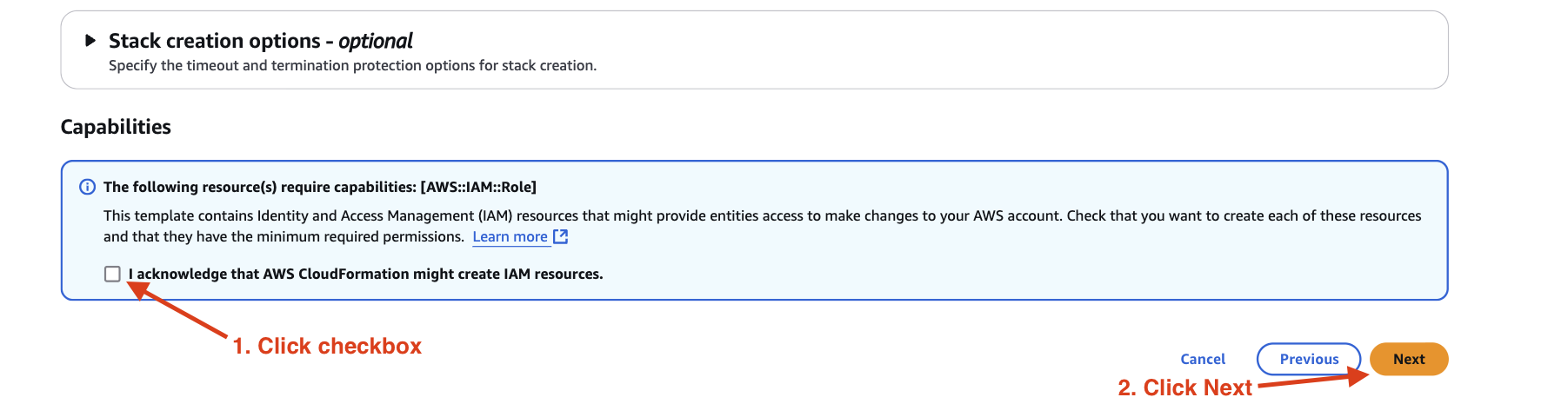
-
Click Submit to start the deployment.

Once the stack status changes to CREATE_COMPLETE, the resources for the Snyk x AWS Workshop are ready.
Verifying the Deployments
-
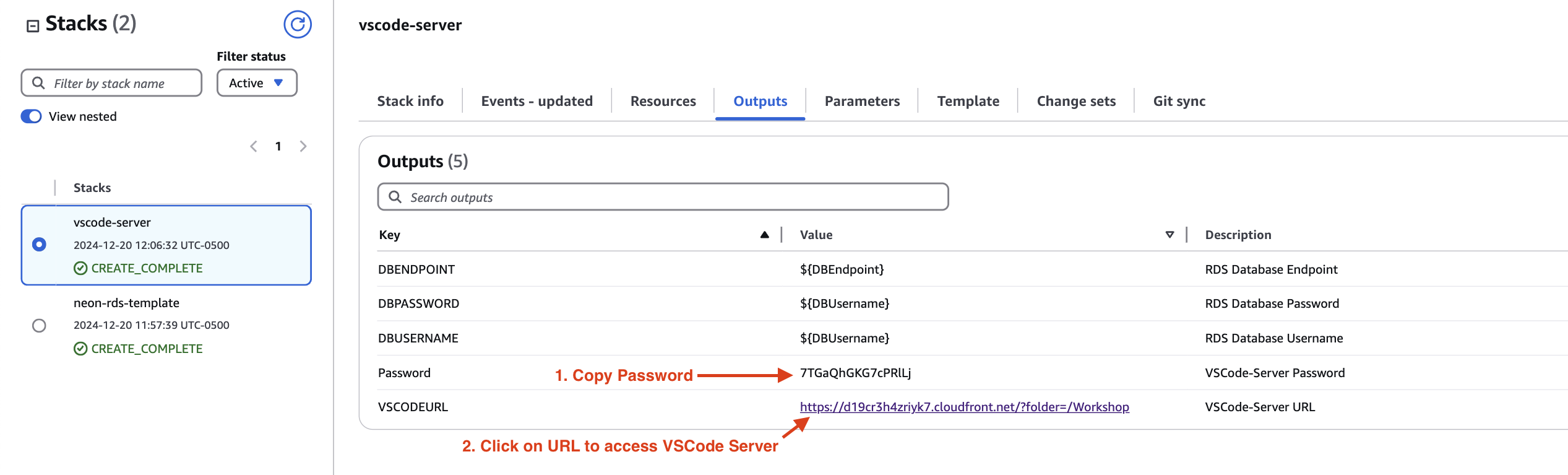
Go to the CloudFormation Outputs tab for each stack to verify the deployment details.
-
The
vscode-server.yamlstack will provide theVSCODEURLandPasswordfor accessing the VS Code server.
Note: If you encounter errors during the deployment, ensure that:
- You have sufficient permissions to deploy CloudFormation stacks.
- Your AWS account has the required service limits for the resources being deployed.
- All parameters are correctly configured as per the workshop requirements.
If you have any issues, refer to the troubleshooting section or contact the support team.